
Outlook Classic - add-in shows "Signature 365 | The operation failed." when composing a new email
Scenario
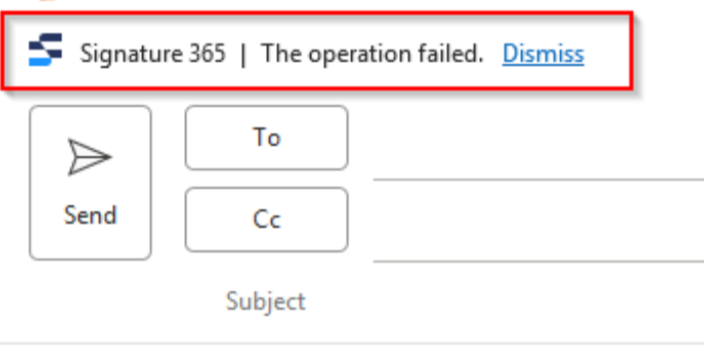
When composing an email, the new mail window shows the following error, and a signature is not automatically inserted:
Solution
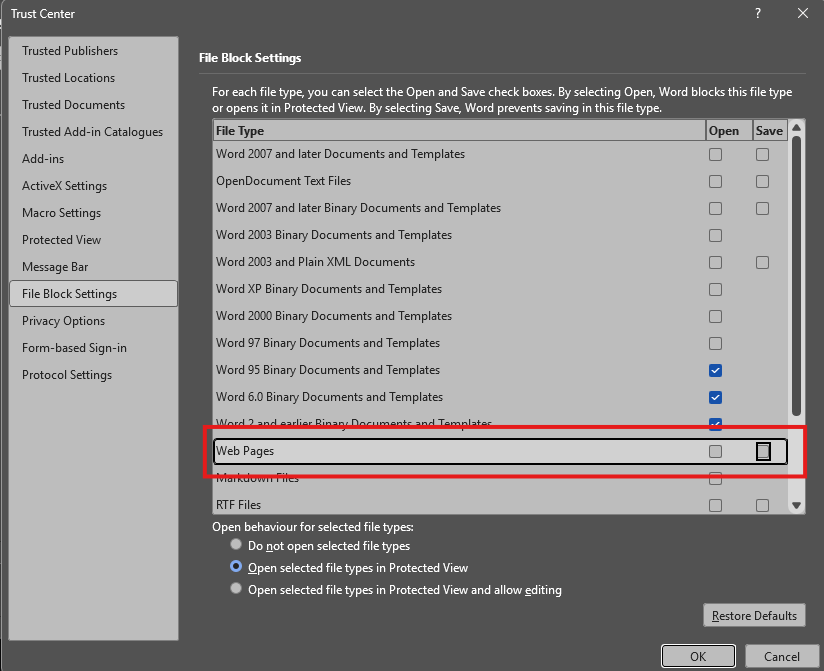
This issue is caused by the Web Pages option within the File Block Settings tab in the Word Trust Centre being set to block web pages.
Open Word, and select File -> Options
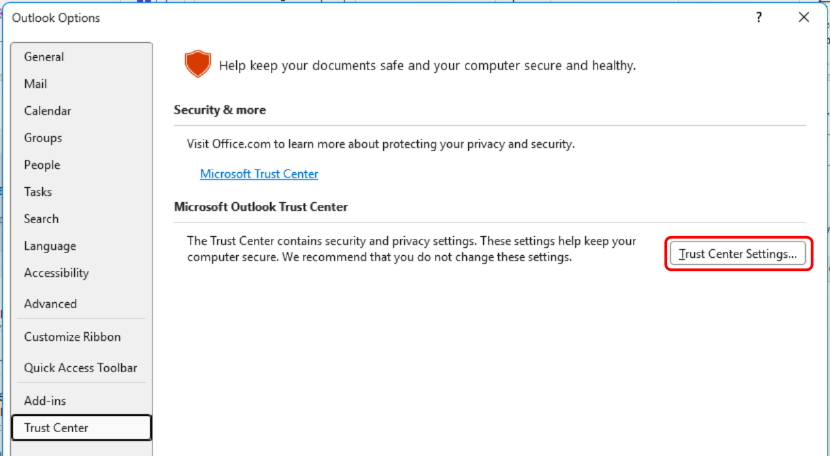
This opens the Word settings window. Select the Trust Center option, and click Trust Center Settings
In the pop-out, select the File Block Settings option, and ensure that both Web Pages options are deselected:
Complete a full restart of Outlook, ensuring all instances are closed, and this will resolve the issue.
Outlook add-in: Opening the Outlook devtools debug window
Open the Outlook devtools window in New Outlook, classic Outlook, or OWA to capture Signature 365 add-in console logs.
Outlook Classic inserts a ? instead of the correct character when adding a Signature 365 signature
Fix Outlook Classic replacing accented or special characters with question marks when inserting Signature 365 signatures.